
Land Rover Discovery: Front Drive Halfshafts Front Left Halfshaft (G1794494) - Installation
Installation
NOTE:
Only perform step 1 if the components were previously removed.
CAUTIONS:
- Make sure that the mating faces are clean and free of corrosion and foreign material.
- Make sure the seal is installed correctly.
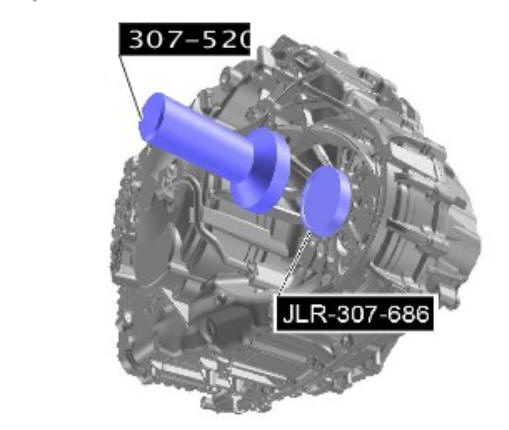
Using the special tools, install the halfshaft seal.
Special Tool(s): 307-520, JLR-307-686
Renew Part: Halfshaft seal.
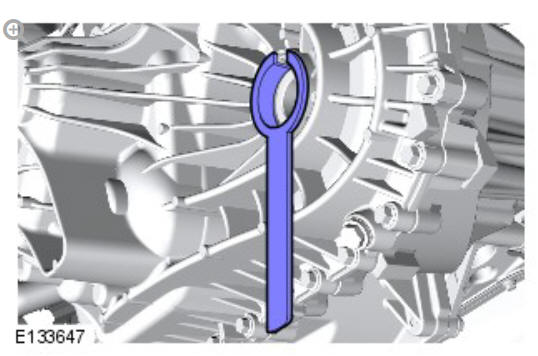
To prevent oil seal damage use the protector when installing the shaft into the transmission. It is not a special tool but is available from the Parts Catalogue.
CAUTION:
Make sure that the snap ring is installed from the end of the halfshaft. Failure to follow this instruction may result in damage to the vehicle.
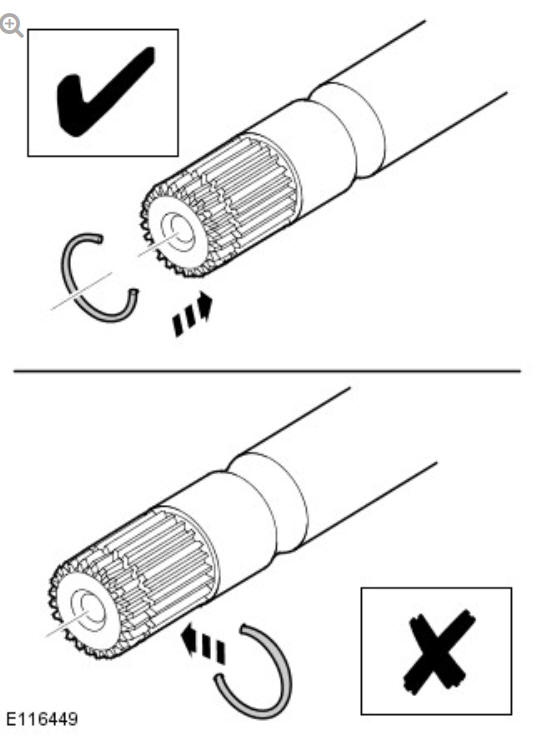
Renew the halfshaft retaining clip.
Renew Part: Retaining clip.
CAUTIONS:
- Do not fully engage the halfshaft until the oil seal protector has been removed.
- Pull on the halfshaft inboard joint to make sure the clip has fully engaged and retains the halfshaft inboard joint within the transmission.
- Keep the halfshaft horizontal to avoid damaging the oil seal.
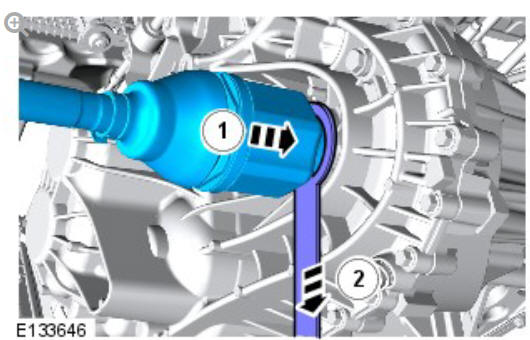
Install the halfshaft.
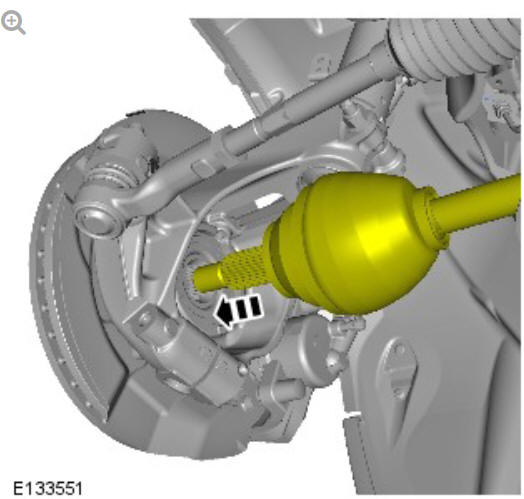
Connect the halfshaft to the wheel knuckle.
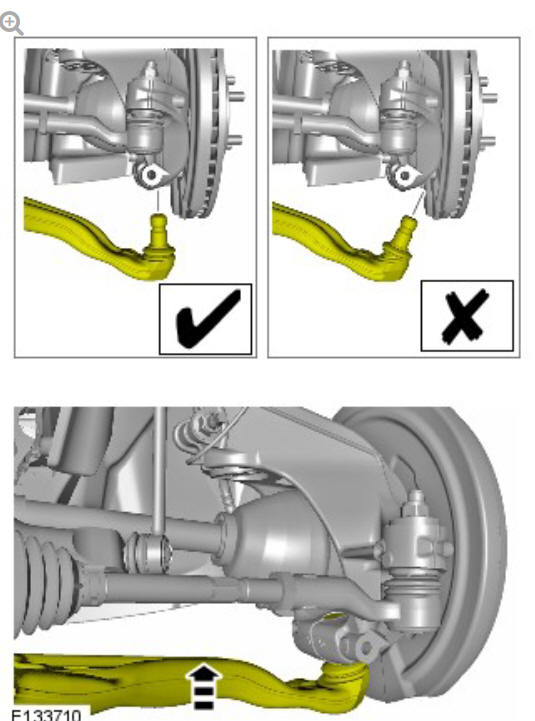
Connect the lower suspension control arm ball joint.
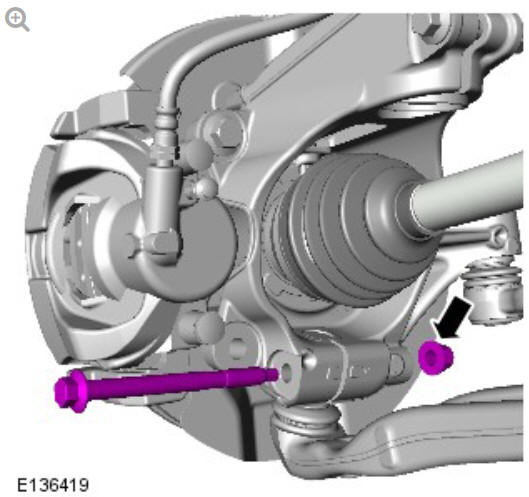
Renew the lower suspension control arm ball joint bolt.
Renew Part: Lower control arm nut and bolt.
Torque:
Stage 1: 80 Nm
Stage 2: 180º
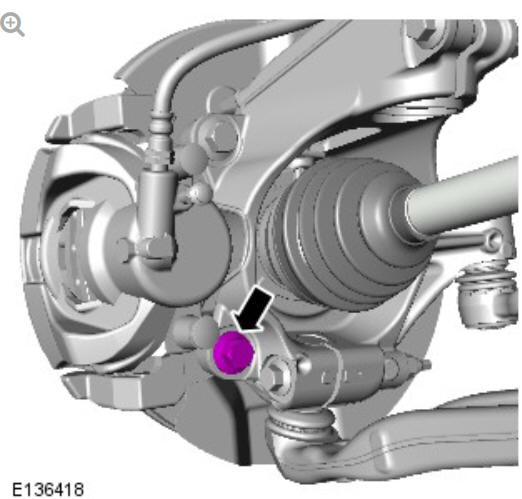
Renew the brake caliper carrier bolt.
Renew Part: Brake caliper carrier bolts
Torque:
Stage 1: 90 Nm
Stage 2: 120º
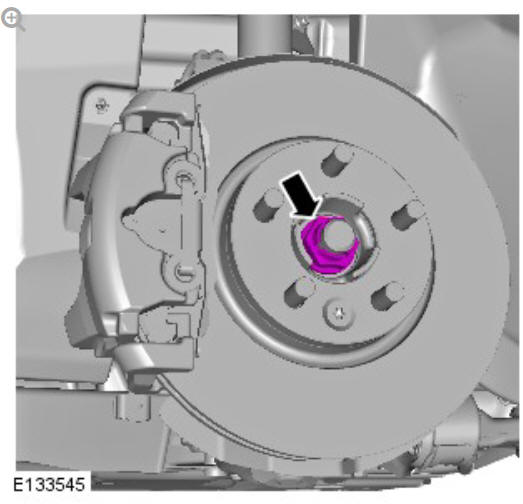
Install the old halfshaft nut.
Torque: 175 Nm
Remove and discard the old halfshaft nut.
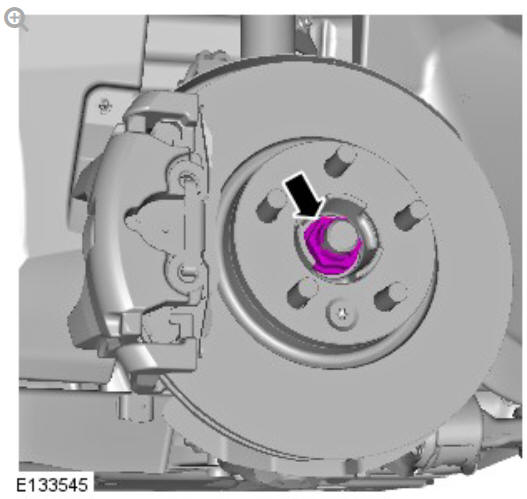
Renew the halfshaft nut.
Renew Part: Front halfshaft nut.
Torque:
Stage 1: 100 Nm
Stage 2: 90º
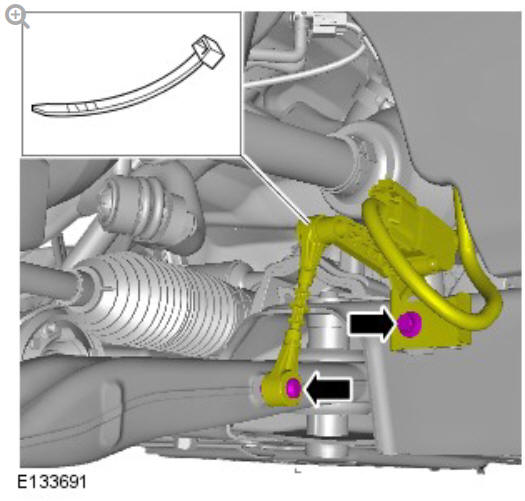
Connect and secure the suspension height sensor.
Torque: 10 Nm
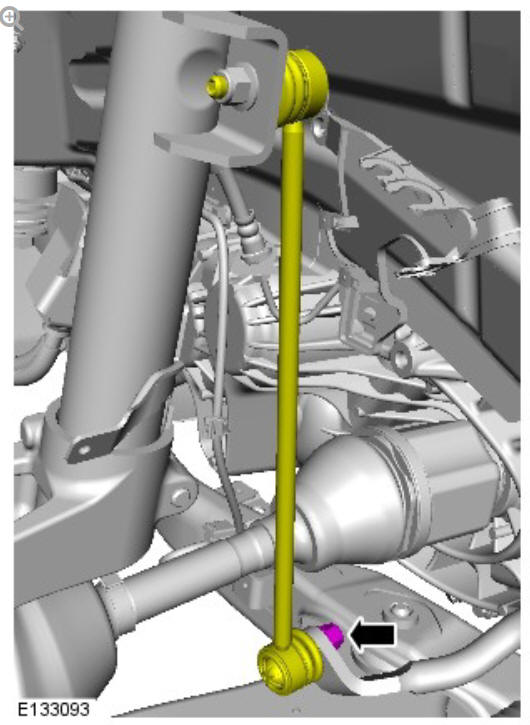
Connect the stabilizer bar link. Renew the nut.
Renew Part: Stabilizer bar link retaining nuts.
Torque: 65 Nm
Install the wheel and tire.
Refer to: Wheel and Tire (204-04 Wheels and Tires, Removal and Installation).
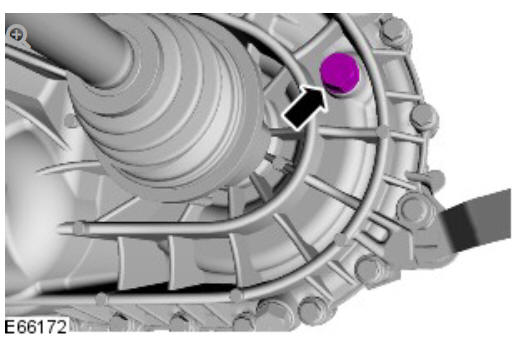
Manual transmission vehicles only: Check and top-up the transmission fluid level.
Using only four wheel alignment equipment approved by Land Rover, check and adjust the wheel alignment.
Refer to: Four Wheel Alignment (204-00 Suspension System - General Information, General Procedures).
 Front Drive Halfshafts Front Left Halfshaft (G1794494) - RemovalFront Drive Halfshafts Front Right Halfshaft - FWD (G1794496)
READ NEXT:
 Front Drive Halfshafts Front Right Halfshaft - FWD (G1794496) - Removal
SPECIAL TOOL(S)
PART(S)
Removal
CAUTIONS:
Do not use air tools to remove or install the halfshaft nut.
Failure to
follow this instruction may result in damage to the component
Do not allow
Front Drive Halfshafts Front Right Halfshaft - FWD (G1794496) - Installation
Installation
NOTE:
Only perform step 1 if the components were previously removed
CAUTIONS:
Make sure that the mating faces are clean and free of
corrosion and foreign material.
Make sure the seal
SEE MORE:
Examples of Damage to Seat Cover
Below are some examples of damage that would not be accepted under the
terms of the Jaguar Land Rover warranty agreement. Please note: these are
examples only and do not represent all warrantable/non warrantable
customer concerns.
The examples below show damage such as cuts, tears and puncture hole
Main menu
Where To?: Touch for a list of options
for setting a destination.
Map View: Touch to view the map
screen.
Favourites: Touch to view the list of
stored destinations.
Settings: Touch to select the
SETTINGS pop-up menu, followed by
Navigation, to view the NAVIGATION
SETTINGS screen.
