
Land Rover Discovery: TAS Graphics
Land Rover Discovery (2009–2016) Service Manual / General Information / About This Manual / TAS Graphics
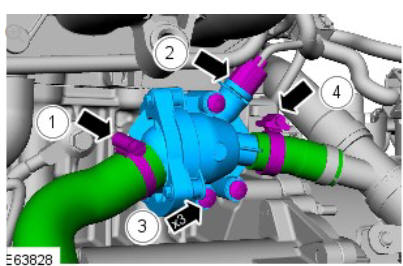
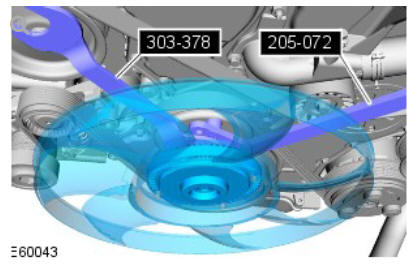
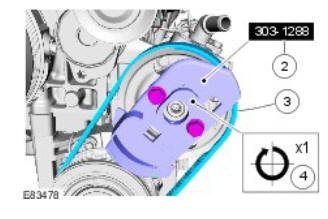
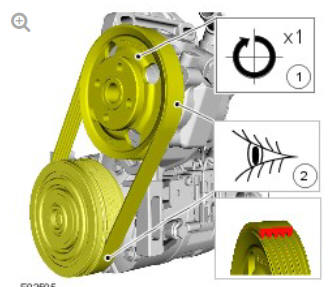
Colors used in the graphic are as follows:
- Blue - Indicates the target item, item to be removed/installed or disassembled/assembled
- Green and Brown - Indicates a secondary item that needs to be detached, removed/installed or disassembled/assembled prior to the target item
- Yellow - Component that is touched or affected in a way but remains in the vehicle. It may be detached, attached, moved, modified, checked, adjusted etc.
- Magenta - Indicates electrical connectors and fasteners such as nuts, bolts, clamps or clips
- Pale Blue - is for the special tool(s) and general equipment.
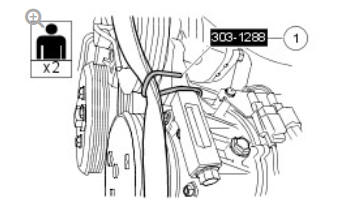
There may be multiple steps assigned to one illustration.
Numbered pointers are used to indicate the number of electrical connectors and fasteners such as nuts, bolts, clamps or clips.
Items in the illustration can be transparent or use cutouts to show hidden detail(s).


READ NEXT:
 TAS Symbols
Symbols are used inside the graphics and in the text area to enhance the
information display. The following paragraphs describe the various types
and categories of symbols.
Prohibition symbols advise
Diesel Fuel System Health and Safety Precautions
DESCRIPTION AND OPERATION
WARNINGS:
Fuel may not give adequate warning before toxic or harmful
effects
arise.
Exposure to fuel can be harmful and can cause severe health
damage or death.
Prov
General Service Information
INTRODUCTION
This manual has been written in a format that is designed to meet the needs
of Land Rover technicians worldwide and to assist them in the efficient
repair and maintenance of Land Rover ve
SEE MORE:
Diagnosis and Testing Navigation System / Symptom chart
SYMPTOM:
Black screen (navigation and audio
screens do not display)
POSSIBLE CAUSE:
Temperature in
passenger
compartment too low
Condensation in
passenger
compartment
Electrical harness
open/short circuit, disconnected
Component failure
ACTION:
GO to
Pinpoint Test
A.
SYMPTOM:
Gearshift Cable Adjustment
CAUTION:
Neutral must be selected before the cables are released to allow the
cables to be correctly set.
NOTES:
Removal steps in this procedure may contain installation details.
Some variation in the illustrations may occur, but the essential
information is always correct.
Refer to: Air Cleane
© 2019-2026 Copyright www.lrdisc.com
